

Overview
Everything in Rover starts from the search terminal. It lets you turn natural questions into precise queries, so you can slice the chain by wallet behavior, asset flows, fee usage, and more from a single interface. Searches you build here power views and detail pages throughout the product.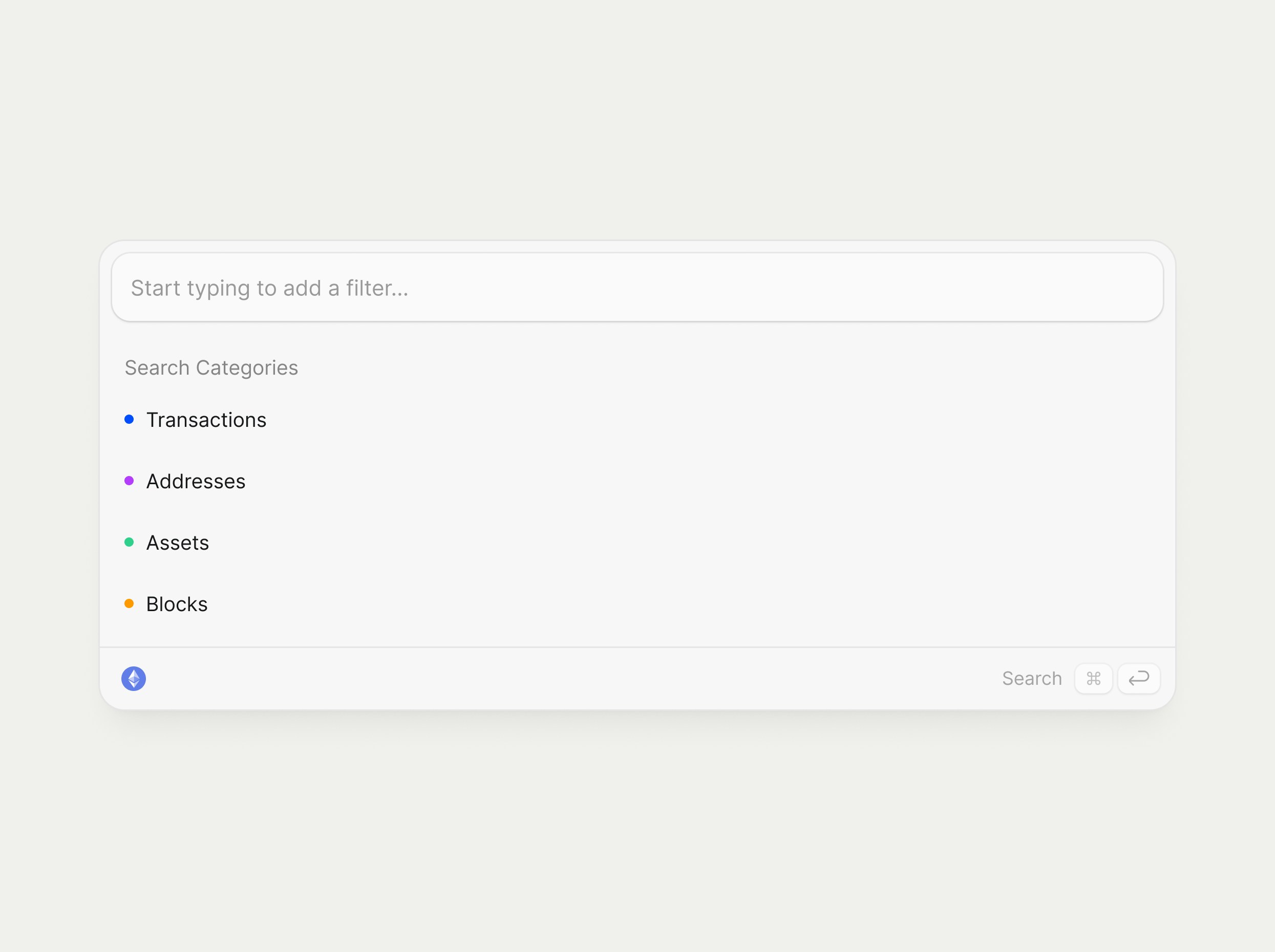
The search terminal supports both precise, building‑block searches and an optional Semantic search mode for natural‑language queries. If you prefer to start from plain language, see Semantic Search for details.
Using the search terminal
You can work with the search terminal entirely from the keyboard or with your mouse, depending on your preference.- Keyboard
- Mouse
- Press CMD‑K to open the search terminal from anywhere in Rover.
- Use ↑ and ↓ to move through suggested categories, building blocks, and values.
- Press TAB or ENTER to select the highlighted suggestion and add it to your query.
- Type logical operators like
AND,OR, andNOT, or use parentheses()to group building blocks. - Hit CMD‑ENTER to run the current search and open the results view.
Search categories
Rover organizes on‑chain data into four search categories: Transactions, Addresses, Assets, and Blocks. When you open the terminal, you can either start typing or pick a category first to see the building blocks available for that type of object. Each category exposes its own set of searchable properties, such asTransaction Feeor Block Number, represented visually as building blocks in the terminal. Categories are color‑coded so you can quickly see which “family” a search belongs to as you compose it.
Building blocks
A building block is a property you can filter on within a category, likeTransaction Fee, From, Asset, or Block Number. Think of them as Lego bricks: each block represents one constraint, and combining blocks defines the slice of the chain you care about.
You can scroll or use the arrow keys to browse all building blocks for the current category directly inside the terminal. Multiple blocks from the same category can be combined to create expressive searches without writing code.
Combining blocks with operators
The terminal supports logical operators such asAND, OR, NOT, and parentheses ( ) for grouping. This makes it possible to express queries like “transactions with high fees AND from a specific address, but NOT interacting with a given contract.”
Blocks must come from a single category in any given search, transaction blocks with transaction blocks, asset blocks with asset blocks, and so on, so your query always targets one type of object at a time. The color of each token in the query line helps you see at a glance that your building blocks all belong to the same family.
Syntax sugar and smart paste
The terminal automatically cleans up and completes what you type so your query stays valid, even if you do not explicitly enter every operator.Ways to use the terminal
There are three main ways to build searches:- Type to search: Start typing and let the terminal suggest matching building blocks, categories, and values inline.
- Browse by category: Select a category first for a guided experience; inside each building block, suggested values help you refine your search.
- Natural language translator: Use plain language to describe what you are looking for, and Rover converts it into a structured set of building blocks.
Once you are comfortable with manual building blocks, you can also turn on Semantic Search CMD I to describe what you want in plain language and let Rover build the query for you. Learn more in the Semantic Search page.
Example: building an asset‑scoped transaction search
This example walks through building a transaction search filtered to a specific set of assets using the CMD‑K terminal.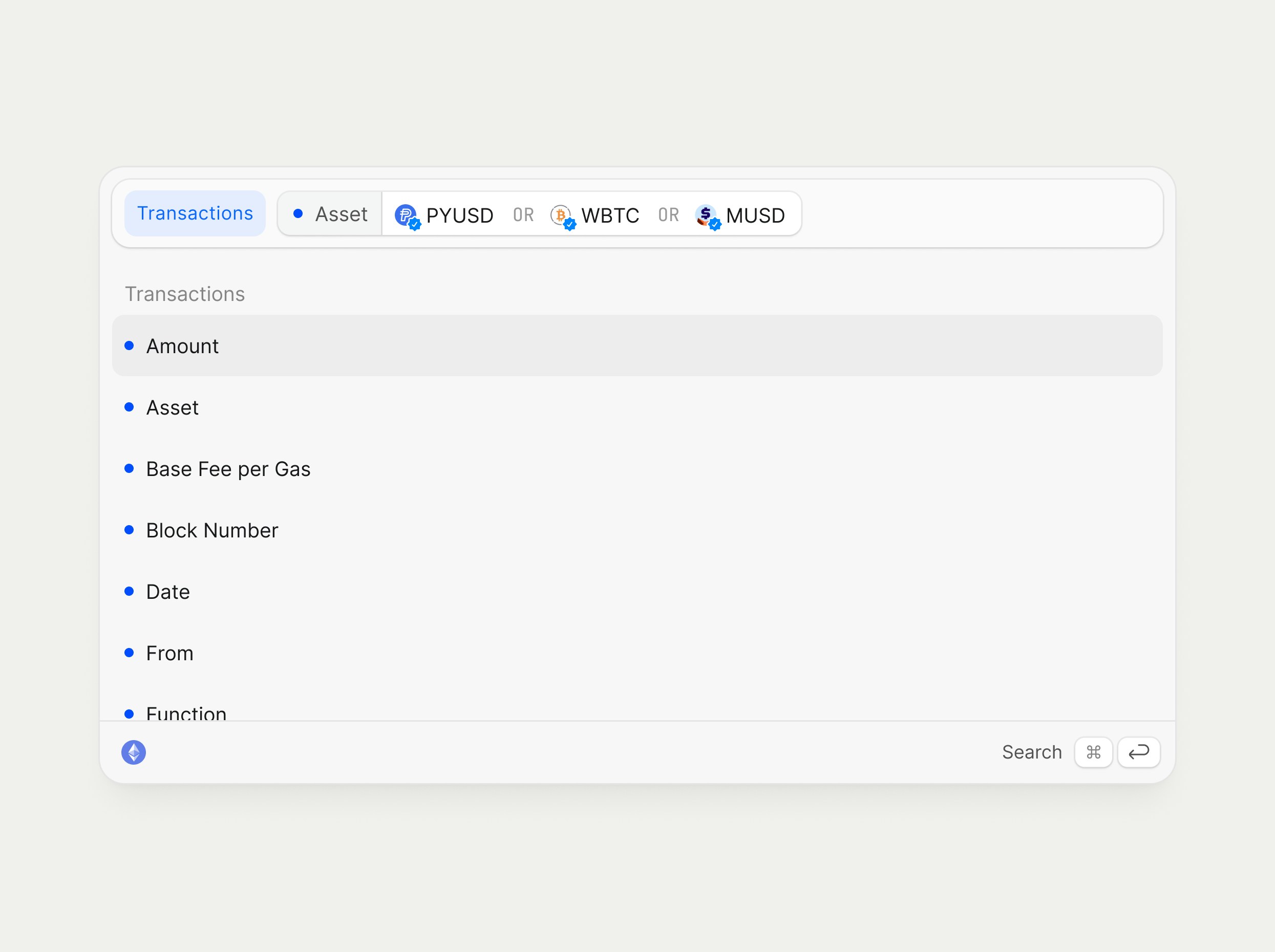
1
Open the terminal
Press CMD‑K or click the search bar in the header to bring up the search terminal.
2
Pick a category
Use your keyboard and press ↓ or your mouse, and select Transactions as your search category so you are querying transaction objects.
3
Add an asset building block
With Transactions selected, choose the Asset building block to constrain results to transactions involving particular tokens.
4
Select one or more assets
- Start typing a token symbol or address (for example, USDT or PYUSD) and select it from the favorites or suggestions list.
- Repeat to add additional assets so the query reads like “Transactions · Asset = USDT, PYUSD, WBTC, …”.
5
Review the resulting blocks
Notice how each selected asset appears as a chip in the query line and the terminal now shows transaction‑specific building blocks you can add next, such as
Amount or Base Fee per Gas.6
Run the search
- Press CMD‑ENTER or click Search to execute the query and load a view of all transactions that match your asset filters.