

Account Detail Page purpose
Use the Address Detail Page when you need to understand “who is this account, what does it hold, and what has it been doing recently?”. The layout matches other Rover detail pages so you can move smoothly between addresses, assets, transactions, and blocks in the same panel.Header and core metadata
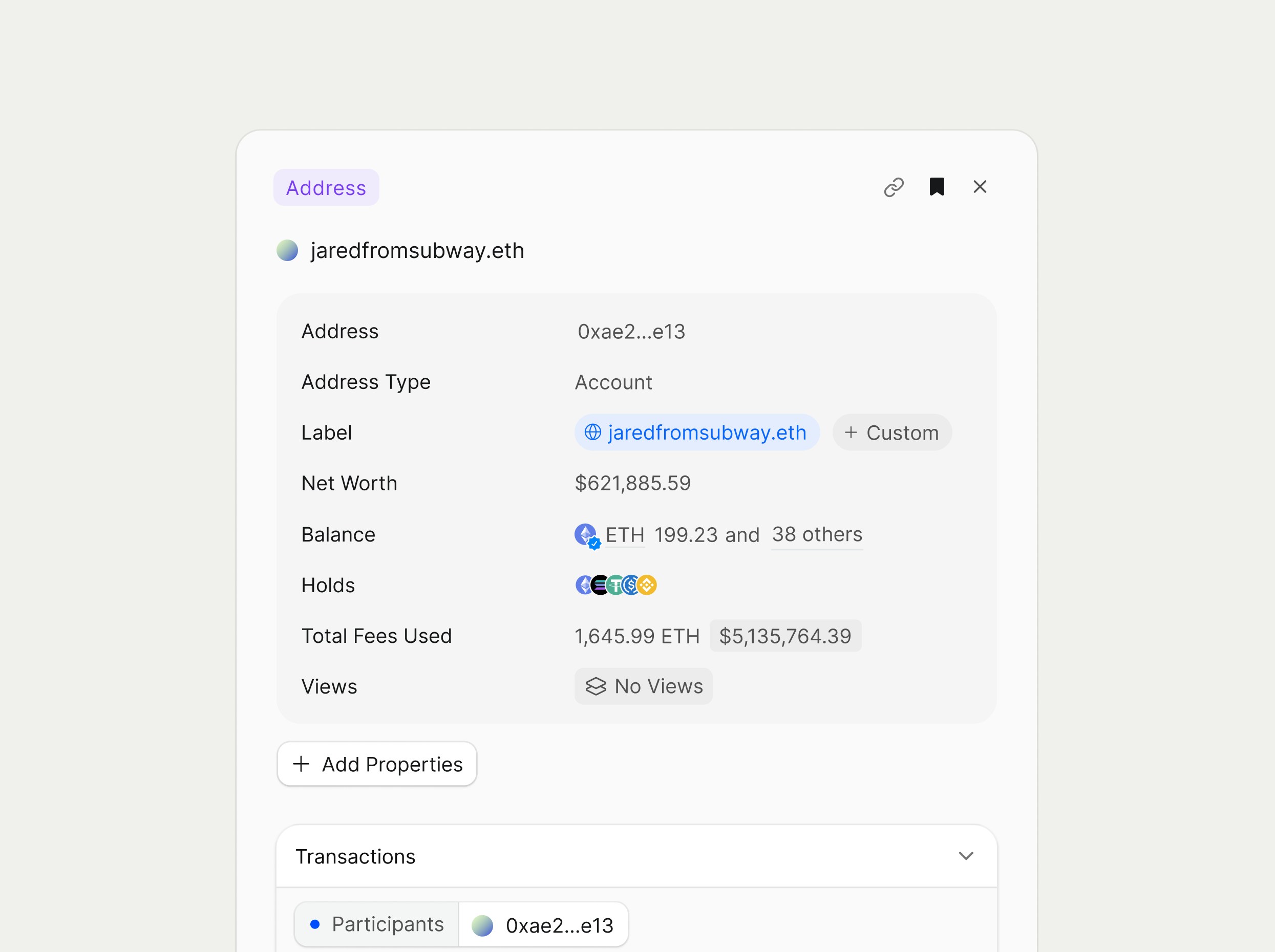
At the top, the page shows an Address badge, the primary label (for example, “jaredfromsubway.eth”), and quick actions such as copy link or bookmark. The metadata panel includes:- Address and Address Type: the address in truncated form (0xae2…e13) and its type (Account, Contract), with copy and deep‑link controls.
- Label: ENS or your private/public label
- Net Worth and Balance: estimated portfolio value in USD and a summary of core balances, such as total ETH and the count of other assets.
Transactions section
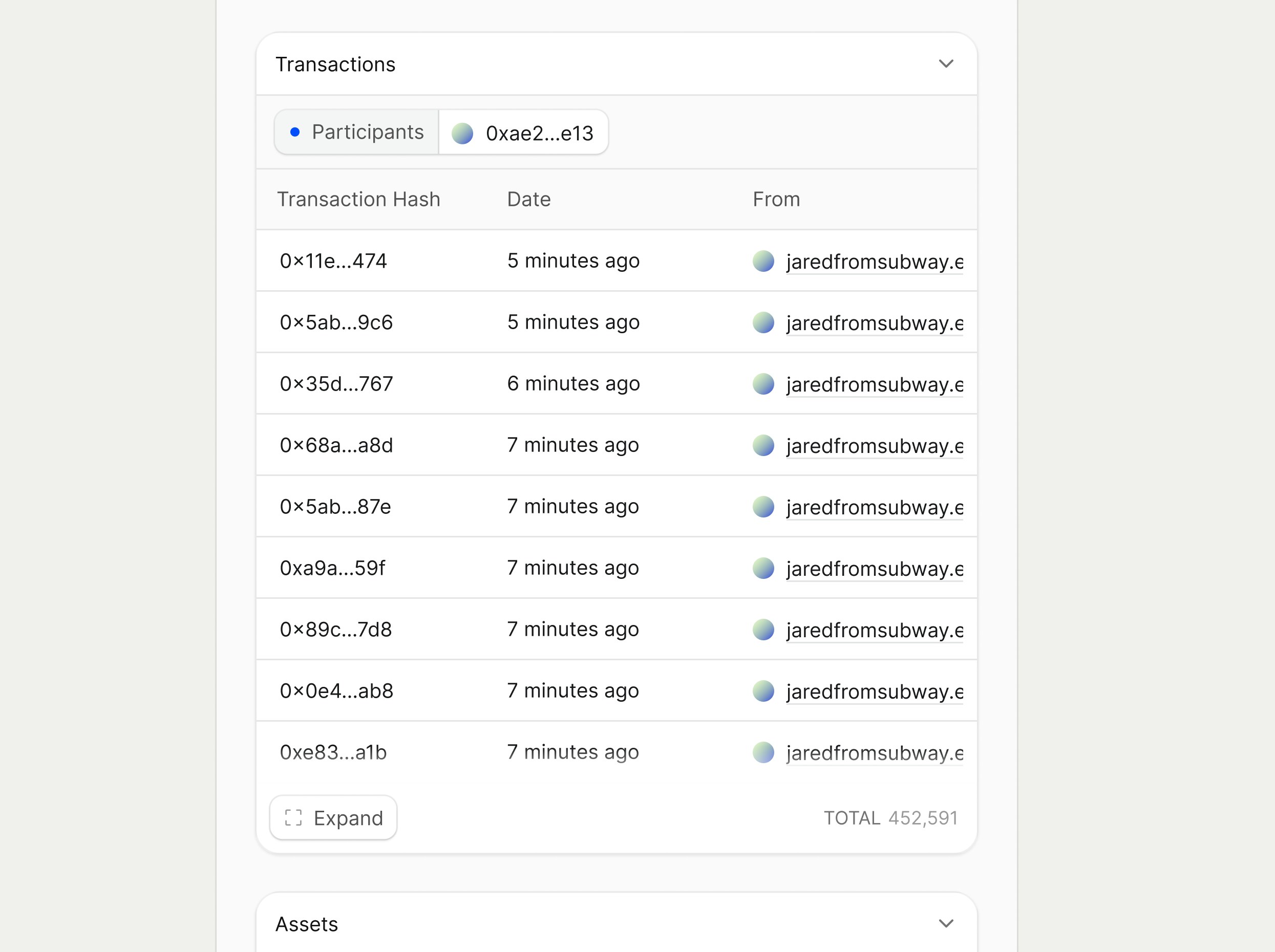
The Transactions section lists recent activity where this address appears as a participant. Key columns include:- Transaction Hash: truncated hash linking directly to the Transaction Detail Page.
- Date: relative time since each transaction was confirmed (for example, “5 minutes ago”).
- From (and additional columns in the full view, such as To or Description) that show how the address interacted in each transaction.
Assets section
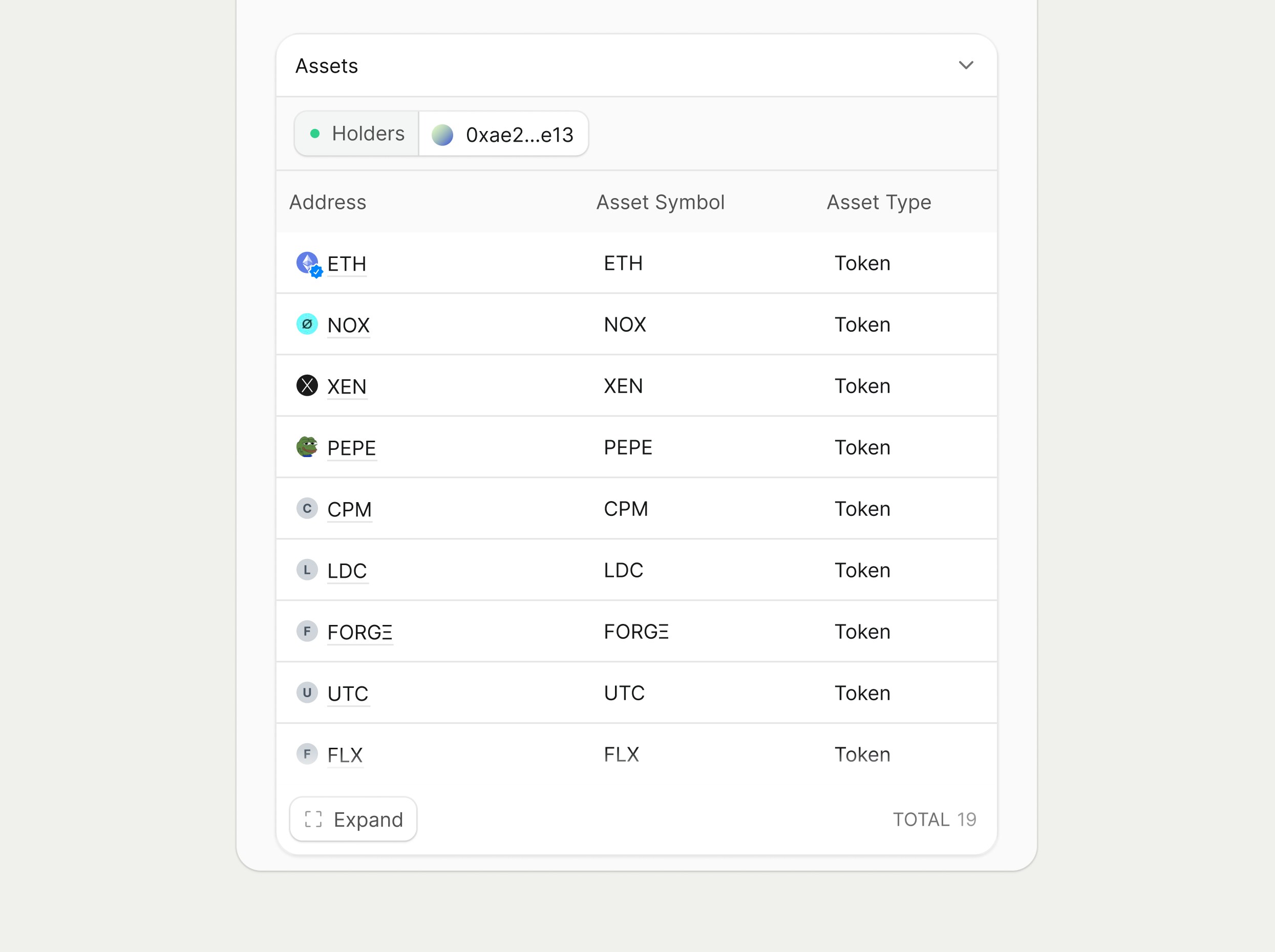
The Assets section shows what the address currently holds, giving a quick portfolio snapshot. The table includes:- Address: asset avatar and name that link to the corresponding Asset Detail Pages.
- Asset Symbol: the short symbol used throughout Rover tables and filters.
- Asset Type: classification such as Token or NFT.
Customization and workflows
Like other detail pages, the Address view supports account customization through properties, labels, and bookmarks. From here you can move into related entities, clicking a transaction hash opens Transaction Detail, clicking an asset opens its Asset Detail Page, letting investigations flow naturally between addresses, assets, and blocks.Smart Contract Detail Page purpose
The Address Smart Contract Detail Page gives a complete view of a contract address, including ownership, activity, assets it holds, verified source code, bytecode, and callable functions and events. This page answers “what is this contract, who deployed it, what does it hold, and how does it behave on chain?” for any address identified as a contract. It mirrors layout and navigation patterns from other Rover detail pages so users can move between contracts, transactions, and assets without changing workflows.Header and core metadata
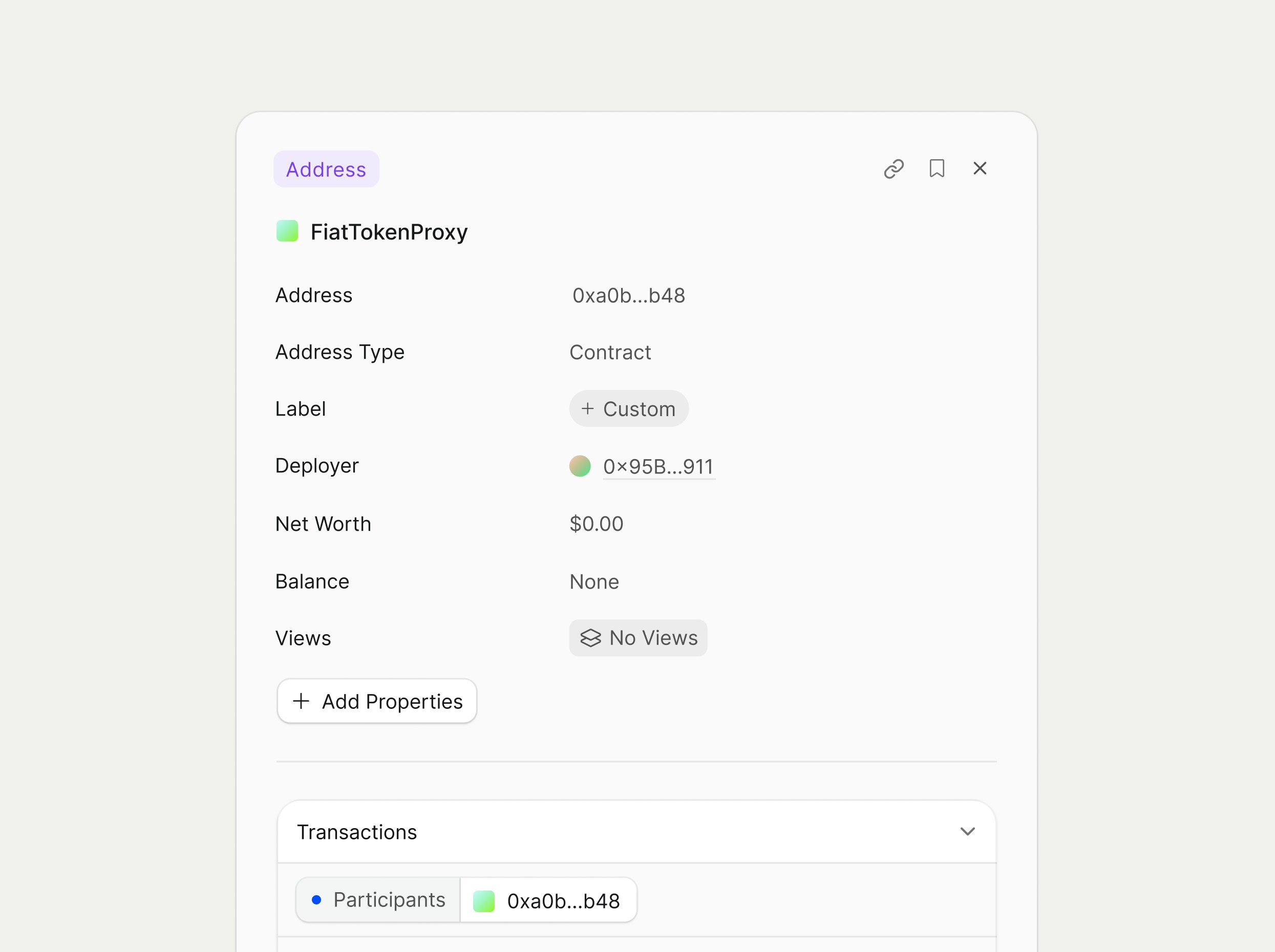
The header shows the address label (for example, “FiatTokenProxy”) and a badge indicating that the entity type is an Address. Core metadata includes:- Address
- Address Type
- Label
- Deployer
- Net Worth
- Balance
- Views
Transactions
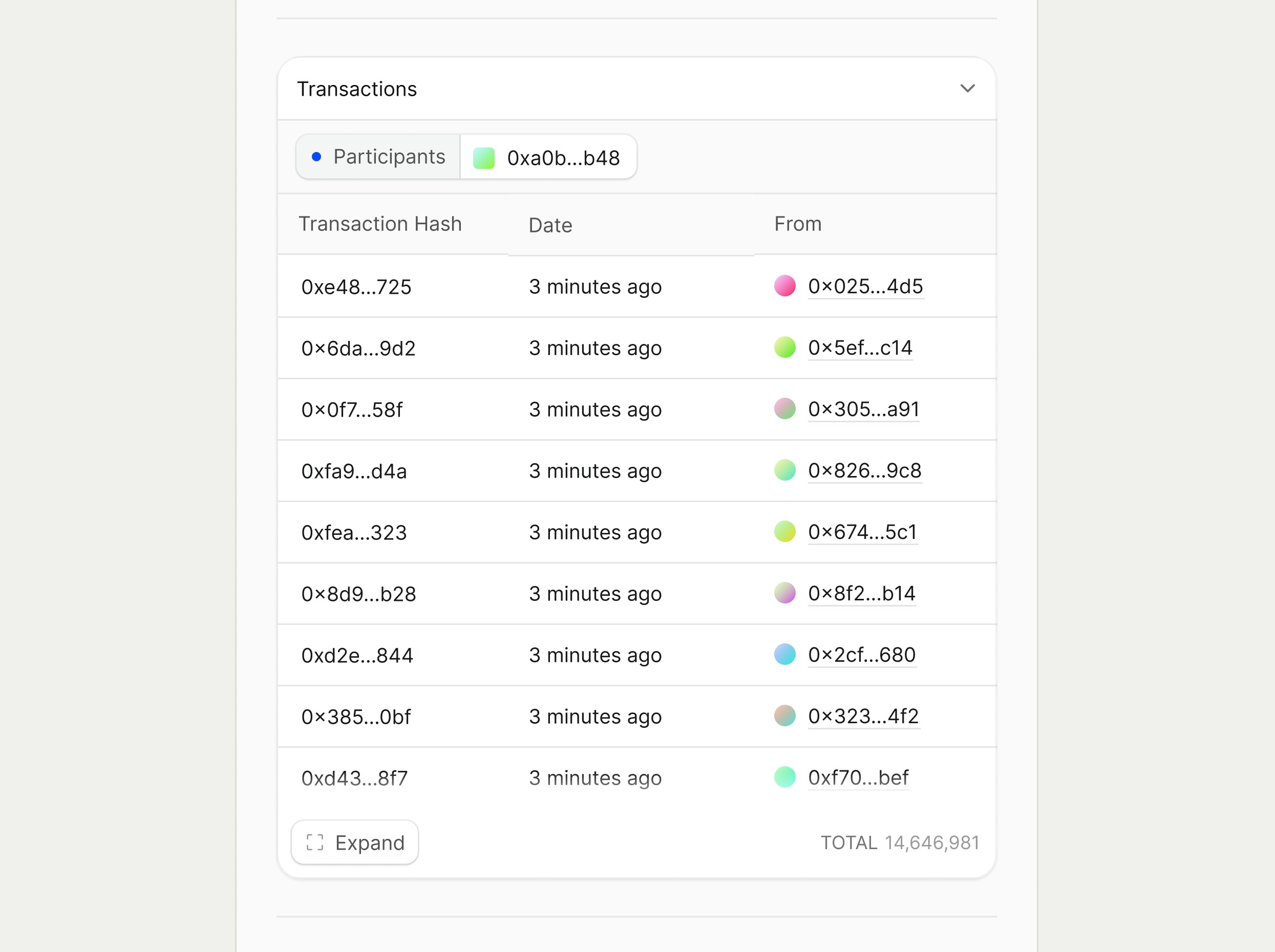
The Transactions section surfaces recent on‑chain activity involving the contract, scoped to transactions where the address appears as a participant. The table includes:- Transaction Hash
- Date
- From / To
Assets
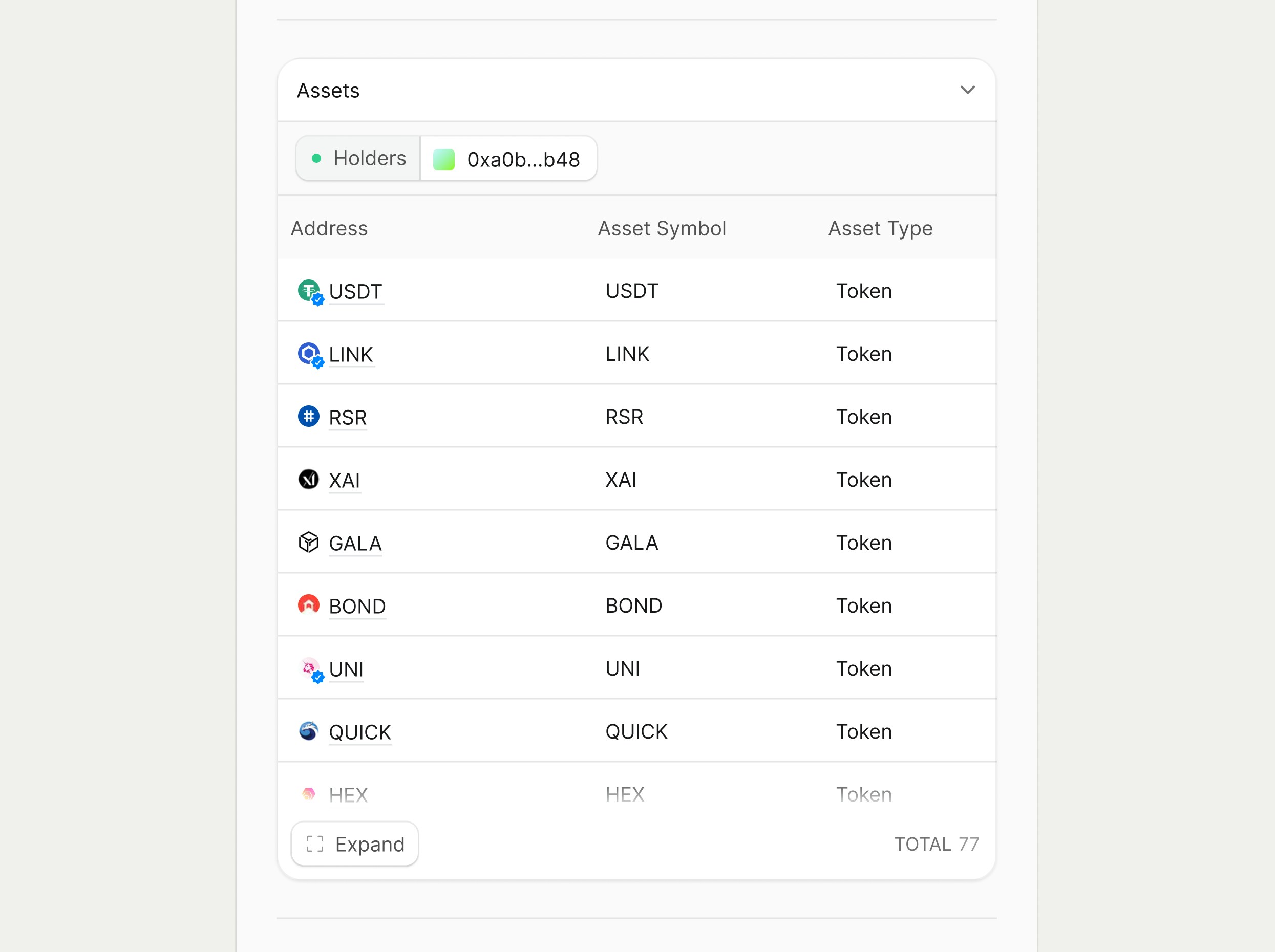
The Assets section lists tokens and other assets currently held by the contract. Columns include:- Address
- Asset Symbol
- Asset Type
Source Code
When source verification is available, the Source Code section displays one or more files (for example, “SHIB.sol”) in a tabbed code viewer. The left rail lists files; selecting a file renders its Solidity source with syntax highlighting and scrolling in the main pane. This view is read‑only and optimized for inspection, mirroring familiar code viewers in developer tools so auditors and engineers can quickly scan contract logic, modifiers, and events without leaving Rover.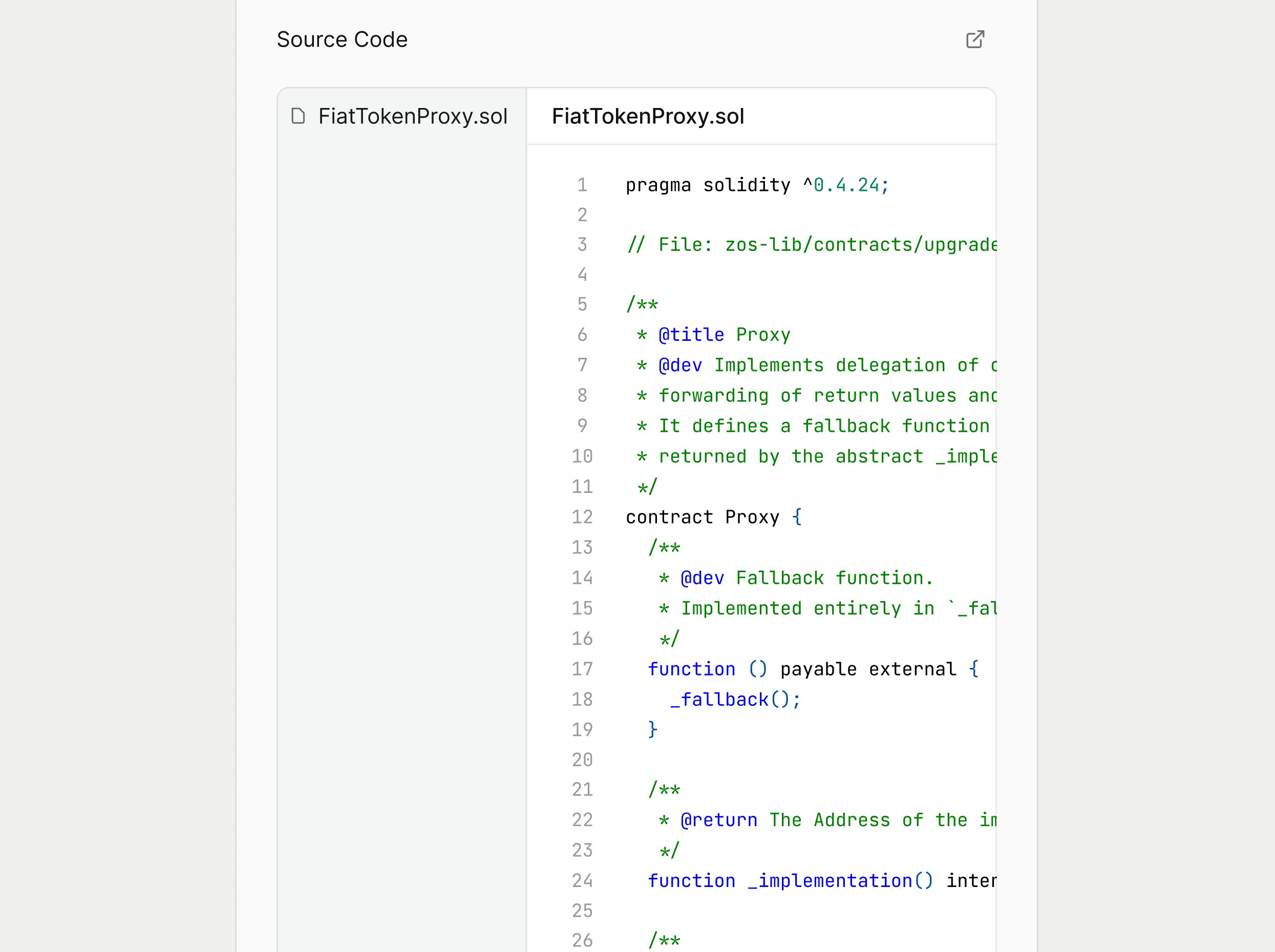
Bytecode
The Bytecode section shows the deployed bytecode for the contract as a monospaced, scrollable block.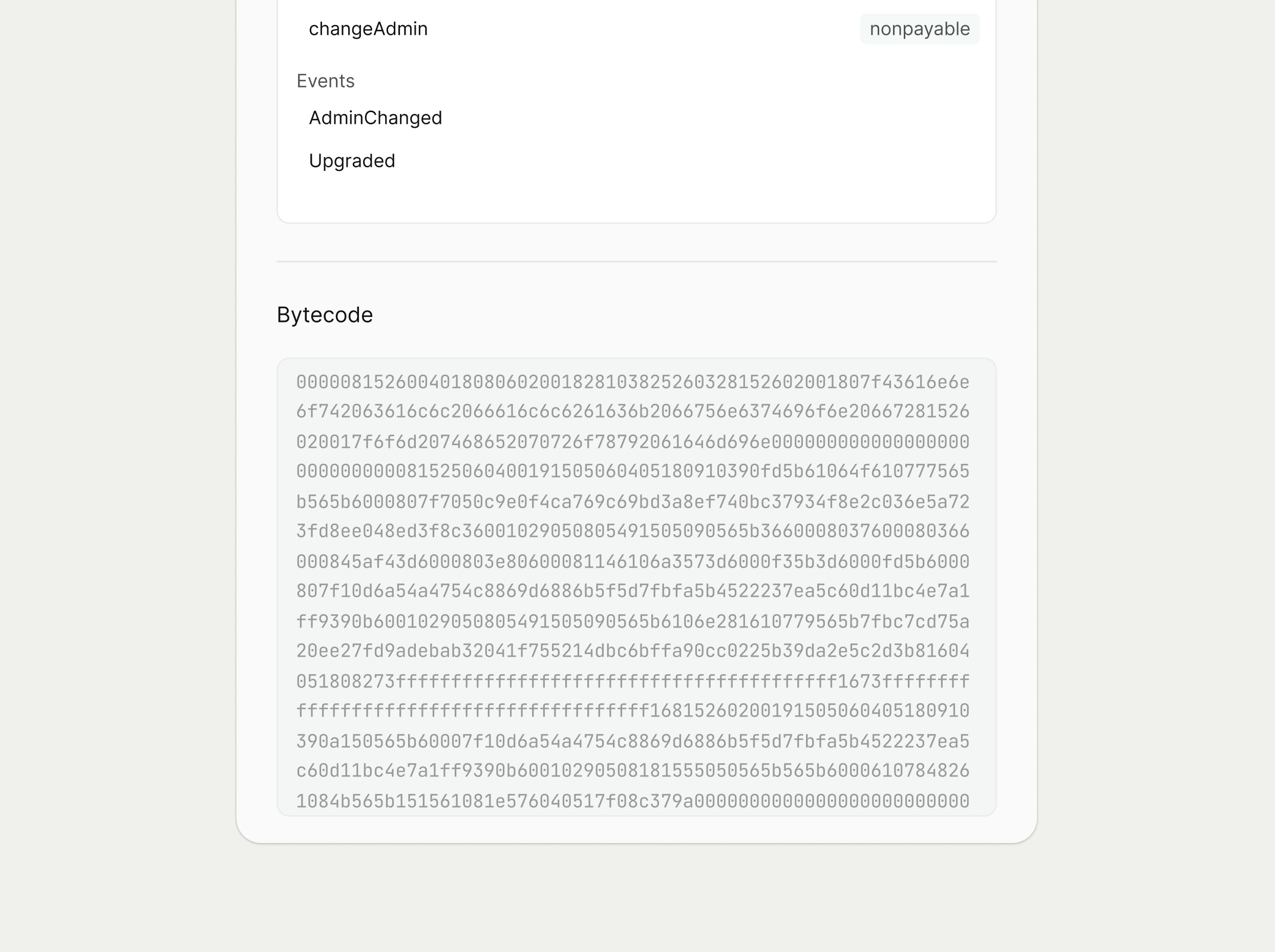
Functions & Events
The Functions & Events section exposes the contract’s ABI, organized into callable functions and emitted events. Key elements include:- Search: you can search for the name of certain functions or events
- Read Functions: a grouped list of view/pure functions (for example, TradingOpen, _maxTxAmount, balanceOf, decimals, owner, pair) each showing if the function is
view,nonpayable, orpayable - Events and write functions: when available, additional groups list non‑constant functions and events with matching controls.
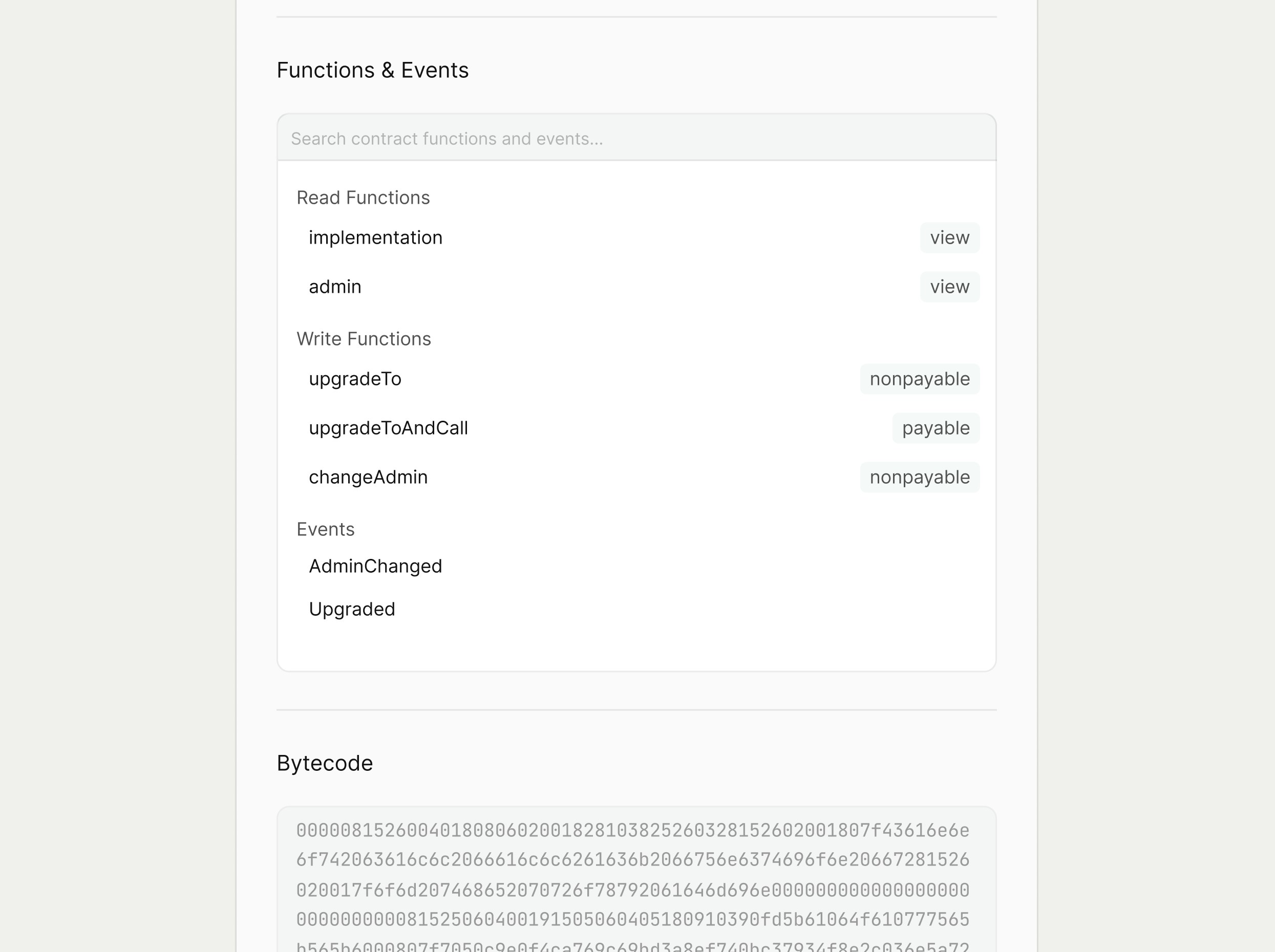
We will be further developing this section, and at the moment, you will only be able to view the function’s signature.
Navigation and workspace behavior
From the Address Smart Contract Detail Page, users can navigate to related entities, for example:- Clicking the Deployer opens that address’s detail page.
- Clicking a transaction hash opens the Transaction Detail Page.
- Clicking an asset row opens the corresponding Asset Token or NFT Detail Page.